
Ever tried to open a PDF only to get an error like ‘Cross-reference table is missing’ or ‘Invalid XREF entry’? That’s a corrupted XREF table—the part of the PDF that tells the reader where each object is located. If this table gets damaged, your PDF can become unreadable. This guide is for anyone who’s hit that error and wants a fix, no deep PDF expertise required.
By the end of this tutorial, you’ll have a repaired PDF that opens smoothly. You’ll learn how to use free tools like qpdf and a hex editor to patch the XREF table. Along the way we’ll link to other useful resources like the best PDF repair tool for tougher cases and a malformed PDF repair guide for different types of corruption.
What You’ll Need
- A corrupted PDF file (the one you want to fix).
- A hex editor. Free options: HxD (Windows), Hex Fiend (Mac), or 010 Editor (trial).
- qpdf – a free command-line tool for PDF manipulation. Download from sourceforge.net.
- Basic comfort with command line (we’ll give you exact commands).
- Optional: PDFtk or Adobe Acrobat for validation.

Step 1: Diagnose the XREF Corruption
First, confirm the problem. Try opening the PDF in Acrobat or any reader. If you see an error like ‘Error: Cross-reference table not found’, you’ve got XREF corruption. Another sign: the file size is normal but content is missing or broken.

Step 2: Backup Your File
Before any repair, make a copy. Corruption can get worse if we mess up. Right-click the file and select Copy, then paste it as a backup. Store it somewhere safe.

Step 3: Try qpdf Automatic Repair
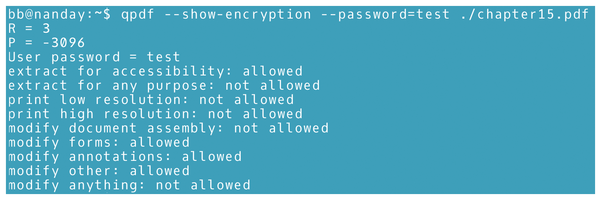
qpdf is a powerful free tool. Open your terminal (Command Prompt on Windows, Terminal on Mac/Linux). Run: qpdf --check broken.pdf. This will list any errors. Then try a linearize repair: qpdf --linearize broken.pdf fixed.pdf. Often this rebuilds the XREF table and fixes the file. If the output is clean, you’re done. For more stubborn cases, check out the best PDF repair tool for a graphic alternative.
Step 4: Manual XREF Editing with a Hex Editor
If qpdf fails, we’ll fix the XREF manually. Open the corrupted PDF in your hex editor. Look for the ‘xref’ keyword near the end of the file. The XREF section lists object offsets. Compare a healthy PDF’s XREF structure (each entry: 10-digit offset, 5-digit generation number, ‘n’ for in-use or ‘f’ for free, ending with ‘
‘). Count the entries and ensure the xref keyword is immediately followed by the first entry. If offsets are wrong, adjust them by searching for each object (look for ‘obj’ keyword) and calculating the correct byte offset from the start of the file. This is tedious but often the only way. Once the XREF is aligned, update the ‘startxref’ value in the trailer to point to the byte offset of the ‘xref’ keyword. Save and test. For other types of corruption, see the malformed PDF repair guide.

Step 5: Validate the Repaired PDF
Open the repaired PDF in a viewer. If it loads without errors, success! For extra assurance, run qpdf --check fixed.pdf again. You can also use the PDF validation and repair guide for further checks. If the file is still broken, you may need to try a full recovery approach—like repairing a 0KB PDF if the file became empty.
Common Pitfalls
- Skipping the backup – one wrong edit can make the file unrecoverable. Always keep the original.
- Misplacing the startxref pointer – if the startxref value in the trailer points to the wrong byte, the reader won’t find the XREF table at all.
- Forgetting to update generation numbers – if an object is marked as free (‘f’) but should be in use, the reader may skip essential data.
Where to Next
You’ve fixed your PDF’s XREF table. Nice work! If you run into other PDF issues, check out our guides on the best PDF repair tool for complex cases, malformed PDF repair guide for structural errors, and PDF validation and repair for thorough checking. Also, if your file was 0KB, our tutorial on repairing a 0KB PDF covers that scenario.




