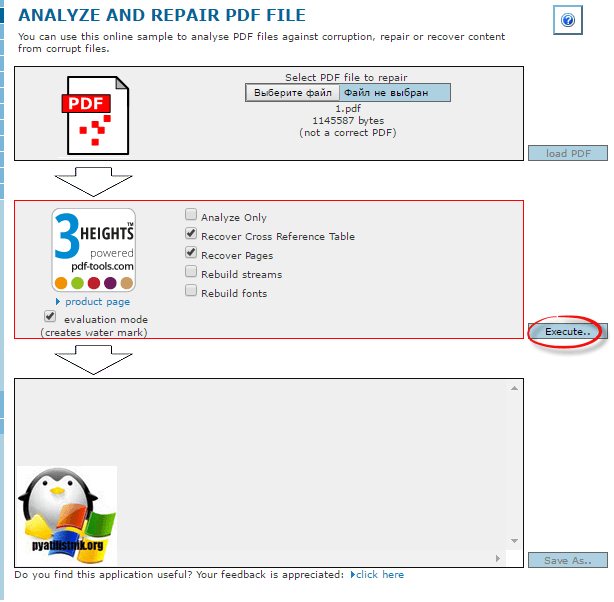
Ever opened a PDF only to see a popup saying ‘Invalid xref table’ or a blank page with garbled text? That’s the cross-reference (xref) table being corrupt. The xref table is the index PDFs use to locate objects. When it’s busted, your reader can’t find any content. This guide is for anyone who isn’t a PDF expert but needs to get a document working again — maybe for school, work, or a personal file. By the end, you’ll have a functional PDF, and you’ll understand the basics of how PDFs store data.
We’ll use a mix of free tools and hex editing. No expensive software required. If you’re comfortable with a hex editor and following instructions, you’ll be fine. Even if you’re not, we’ll take it slow. Let’s get your PDF back in shape.
What You’ll Need
- A hex editor (like HxD for Windows, Hex Fiend for Mac, or `xxd` on Linux)
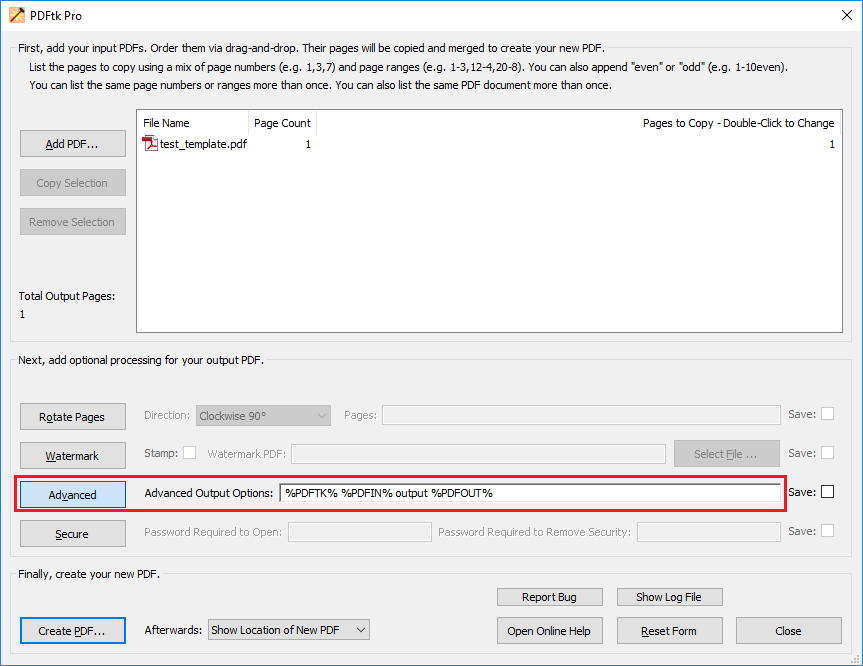
- A PDF repair tool such as PDFtk (free command-line tool) or an online service
- A plain text editor (Notepad++ or VS Code – do NOT use Word)
- A backup copy of the original PDF (critical!)
- Patience and a basic understanding of hexadecimal numbers
Step 1: Confirm the Error and Make a Backup
First, confirm the error is actually an xref issue. Try opening the PDF in multiple readers. If you get ‘Invalid xref table’ or ‘Cross-reference table not found’, you’re on the right track. At this point, duplicate the file and work on the copy. Never edit the only copy you have.
Step 2: Open the PDF in a Hex Editor
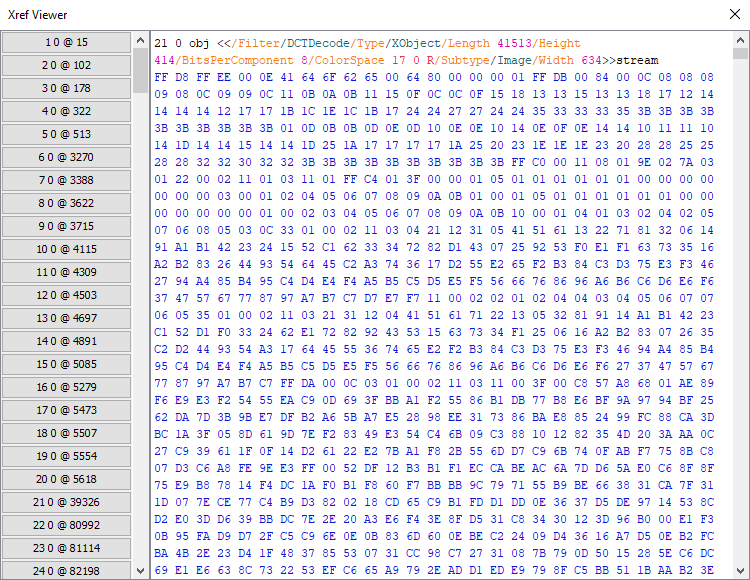
Open your PDF in the hex editor. You’ll see a mix of readable text and hex bytes. Scroll near the end of the file. You should spot something like `xref` followed by numbers, and at the very end a line like `startxref` with a number. That number tells the reader where the xref table starts. If the table is missing or the pointer is wrong, the file breaks.
Step 3: Check the startxref Pointer
Look for the last line before `%%EOF`. It should be `startxref` followed by a number (the byte offset of the xref table). If that number points to a location that isn’t an xref table (e.g., it points to garbage), you’ll need to fix it. Write down the current `startxref` value. Then search for the `xref` keyword earlier in the file and note its byte offset. If the numbers don’t match, you found the issue.
Step 4: Rebuild or Repair the Xref Table
You have two options: manual rebuild or tool-assisted. For manual: Delete the old xref table and `startxref`, then use a tool like `pdf-repair` script (Python) to generate a new one. Check out our guide to repair pdf using python for a script approach. For tool-assisted: Use PDFtk’s `pdftk corrupted.pdf output fixed.pdf` command. If that fails, the best way to repair pdf often involves a combination of tools.

Step 5: Verify the Repair
Open the repaired PDF in a normal reader. If it opens and content appears, you’re golden. If not, check for other issues like missing objects. Sometimes the xref is only one problem. For a full recovery, see our guide on how to fix corrupted pdf files. Also, if the `startxref` error persists, we have a dedicated fix startxref pdf error guide.

Common Pitfalls
- Not backing up the original file – you can’t undo hex edits, so always keep a copy.
- Entering wrong byte offsets – hex offsets are in decimal? No, they’re in hexadecimal! Check your tools: some show decimal, some hex. Confusion breaks the file.
- Missing incremental updates – some PDFs have multiple xref tables and `startxref` pointers. Repairing only the last one may delete earlier updates.
The most common mistake is assuming there’s only one xref section. Always check for ‘%%EOF’ markers – each one signals a previous incremental save.
Where to Next
Now that your PDF is readable, learn how to avoid future corruption. Our quick pdf repair guide covers preventive tips. Also, if you deal with many PDFs, check out batch repair options. Thanks for following along – you’re no longer a PDF repair beginner!




