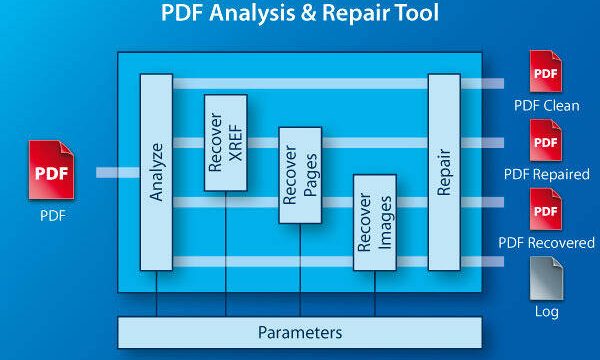
Ever had a PDF that opens but shows garbled text, missing images, or weird symbols? That usually means individual objects inside the file are corrupted. This guide is for anyone who’s tried basic fixes—like re-downloading or using online tools—and still ended up with a broken PDF. By the end, you’ll know how to manually repair object-level corruption using free tools, even if you’ve never touched a hex editor before.
PDF objects are the building blocks: pages, fonts, images, and streams. When one goes bad, the whole file can look fine except that one part. We’ll dig into the raw file, locate the offender, and fix it without wrecking everything else. You’ll come out with a clean PDF and a new superpower.
What You’ll Need
- A corrupted PDF file (back it up first!)
- A hex editor – I recommend HxD (free, Windows) or Hex Fiend (free, Mac)
- A PDF repair tool like PDF-XChange Editor or Adobe Acrobat Pro (trial works)
- Basic understanding of PDF structure (we’ll cover the essentials)
Step 1: Back Up Your PDF and Open It in a Hex Editor
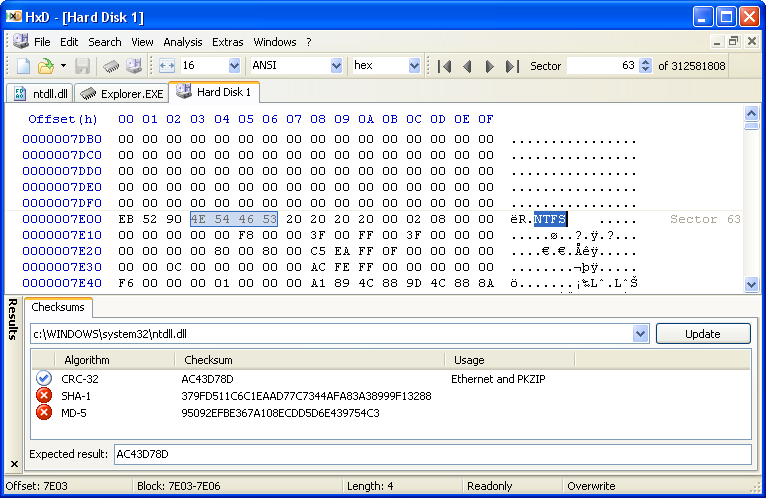
Before we touch anything, copy your corrupted PDF to a new folder. You don’t want to lose the original if something goes sideways. Now open the duplicate in your hex editor. You’ll see a grid of hexadecimal bytes on the left and readable text on the right. Don’t panic—we’re only looking for patterns.
Step 2: Identify the Broken Object
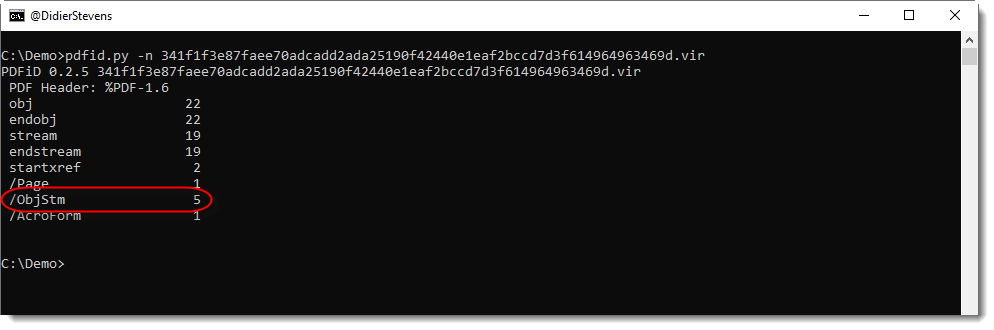
PDF objects start with a number like ‘5 0 obj’ and end with ‘endobj’. Scan the right-hand panel for these markers. Common issues: a stream object that doesn’t end with ‘endstream’, or a cross-reference table that points to a wrong offset. Look for ‘xref’ near the end of the file—if it’s missing or has weird numbers, that’s your culprit. If you see a ‘stream’ keyword but no matching ‘endstream’, that object is likely truncated.
For a deeper dive, check the ‘prev’ and ‘size’ entries in the trailer. If they’re off, the cross-reference table is damaged. That’s a classic case where a cross-reference table repair might help.
Step 3: Fix the Object Using a Hex Editor
Once you’ve spotted the problem, it’s time to edit. For a missing ‘endstream’, simply type the word at the end of the stream data (make sure there’s a line break before it). For a corrupted number in the cross-reference table, correct the byte offset by looking at the actual position of the object—each line in the xref table has a 10-digit offset. Carefully overwrite the wrong digits with the correct ones in hex. Save the file after each edit.

Step 4: Validate the File with a PDF Repair Tool
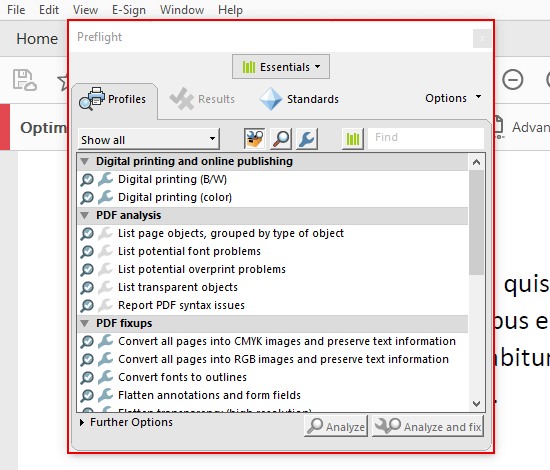
Even a tiny typo can break the PDF. Open your edited file in a PDF repair tool like Adobe Acrobat Pro’s ‘Preflight’ or PDF-XChange Editor. Run a full repair—this will rebuild the cross-reference table and fix any remaining structural issues. If the tool reports success, try opening the PDF in your normal reader. If it still fails, go back to the hex editor and double-check your edits.
Step 5: Test the Repaired PDF
Open the PDF in multiple viewers (browser, Adobe, Foxit) to make sure everything works. Scroll through every page, click any links, and check that images and fonts render correctly. If you spot a remaining issue, repeat steps 2-4 for that object. Sometimes one fix reveals another hidden problem, so be patient.
Common Pitfalls
- **Accidentally deleting important bytes.** Always work on a copy and use undo if available. A single extra space can break the file.
- **Misidentifying the corrupted object.** If you fix the wrong part, you might make things worse. Watch for ‘stream’ without ‘endstream’ or mismatched obj numbers.
- **Forgetting to update the cross-reference table.** After editing an object, its byte offset changes. You must update the xref entry for that object, or use a repair tool to rebuild it.
Where to Next
Now that you’ve fixed a broken object, you’re ready for bigger challenges. If the whole file is a mess, try our guide on how to open a partially corrupted PDF first. For common error codes, check out PDF EOF error fixes. To strengthen your overall technique, read about PDF structure fundamentals. And if you’re dealing with a shattered cross-reference table, our cross-reference table repair guide has you covered. Finally, integrate everything into your complete repair workflow.
Happy repairing—and remember, every byte counts.