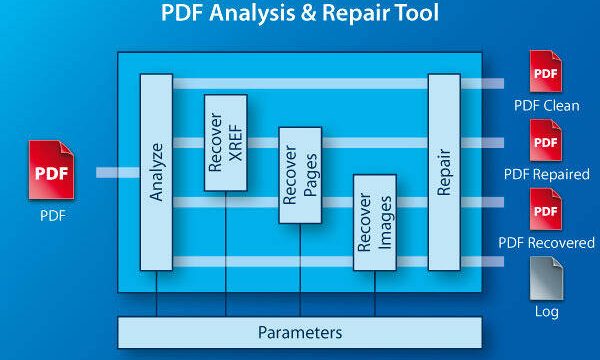
If you’ve ever opened a PDF and seen an error like ‘Invalid Root Object’ or ‘Root object is missing’, you know how frustrating it can be. This usually means the PDF’s internal structure is damaged—specifically the object that tells your reader where everything starts. But don’t worry! This guide is for anyone who’s comfortable using a hex editor and wants to fix the issue themselves. By the end, you’ll have a fully working PDF with its root object repaired, and you’ll understand what went wrong. If you’re on a Mac, you might also want to check out our general pdf repair for mac guide for alternative methods.
I’ll walk you through each step using free tools you can download right now. No expensive software needed—just a hex editor and a PDF analyzer. Let’s get that file back in shape.
What You’ll Need
- A corrupted PDF file (the one with the invalid root object error).
- A hex editor like HxD (Windows) or Hex Fiend (Mac). Both are free.
- A PDF analyzer tool such as PDFStreamDumper or iText RUPS (free).
- A backup of your PDF (so you can start over if things go wrong).
- Basic understanding of hex values (0–FF) and ASCII.
If you haven’t already, download and install the hex editor of your choice. For this guide, I’ll use HxD on Windows, but the steps are similar on any platform.
Step 1: Identify the Invalid Root Object Error
Open your corrupted PDF in a PDF analyzer like PDFStreamDumper. Look for the error message at the top or in the log. It usually says something like ‘Invalid Root Object’ or ‘Could not find root object’. Note the object number (e.g., ’12 0 R’) if given. This confirms we need to fix the root object reference.

If the analyzer can’t open the PDF, that’s okay. The error likely indicates the root object is pointing to an invalid location. Before diving in, you might want to test pdf file integrity with our other guide to see if there are additional issues.
Step 2: Backup Your PDF
Always make a copy of the original corrupted file. We’ll edit the copy. Right-click the file and choose ‘Copy’, then paste it in the same folder. Rename it something like ‘original_backup.pdf’. This way, if you mess up, you can always start over.

Step 3: Open the PDF in a Hex Editor and Locate the Cross-Reference Table
Open the corrupted PDF in HxD. You’ll see a mix of hex and ASCII. The cross-reference table (xref) is usually near the end of the file. Search for the string ‘xref’ (ASCII). If you find it, great. If not, search for ‘trailer’ or ‘startxref’. The trailer dictionary contains a /Root key that points to the root object.
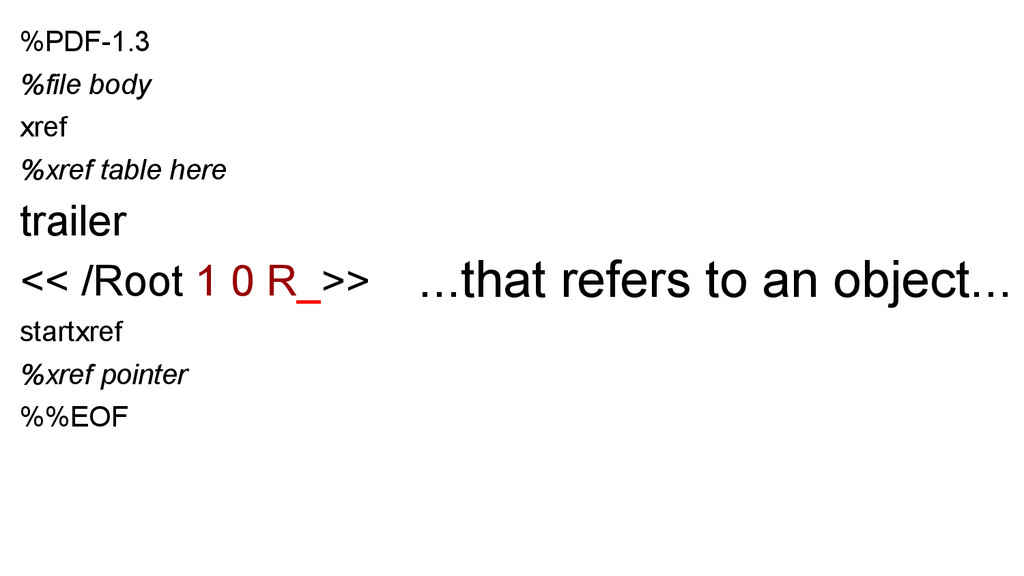
Once you find the trailer, look for a line like ‘/Root 12 0 R’ (the number may differ). That number tells you where the root object should be. In the xref table, find the entry for that object number—it should have a byte offset and generation number. If the offset is wrong (e.g., it points to garbage or zero), that’s your problem.
Step 4: Correct the Root Object Reference
Now we need to find the actual root object in the file. Scroll through the PDF looking for the pattern ‘1 0 obj’ (or whatever the root object is supposed to be). The root object is usually a dictionary with a /Type /Catalog entry. Once you find it, note its byte offset (the position in the file, starting from 0). In HxD, look at the bottom bar for the offset.

Go back to the xref table and update the offset for the root object. For example, if the offset should be 456 bytes (decimal), convert that to hex (1C8) and write it in the xref entry as ‘0000000456’ (10 digits, zero-padded). Save the file. This is a delicate edit—one wrong number can corrupt the PDF further. If you’d rather not edit manually, you can use a corrupted pdf solution that automates the process.
Step 5: Verify and Test the Repaired PDF
Open the repaired PDF in a viewer like Adobe Acrobat or your browser. If the error is gone, congratulations! If not, double-check the offset and generation number. You can also run it through a validator to ensure the xref is consistent. If you’re still stuck, consider using an online tool to recover pdf online free as a last resort.

Common Pitfalls
- Mistaking the root object for another object. The root object must have /Type /Catalog. Editing the wrong object can make things worse.
- Forgetting to update the xref table’s count or ending offset. The xref table has a size entry that must match the number of objects. Changing offsets without adjusting this can break the file.
- Not backing up. If you edit the original file directly and make a mistake, you might lose it forever. Always work on a copy.
Where to Next
Now that you’ve fixed the root object, your PDF should open fine. But if you encounter other issues like missing pages or garbled text, check out our guides on repair pdf encoding and repair pdf annotations. For more general recovery, see our how to repair pdf for free article. Keep experimenting with the hex editor—you’ll get the hang of it!