
So you’ve got a PDF that won’t open, looks like scrambled text, or throws an error. Maybe it’s a corrupted download, a dodgy cloud sync, or just a file that’s been through the wringer. This guide is for anyone who needs to fix a PDF document quickly without losing their mind. By the end, you’ll have a working PDF and know a few tricks to save the day next time.
We’ll start with the easiest fixes (Adobe Acrobat, online tools) and move to more advanced methods like QPDF and hex editing. No matter your skill level, there’s a step here for you. And if you ever need to deal with a truly broken file, check out our in-depth guides like how to repair damaged PDF or how to fix PDF header issues.
What You’ll Need
- The corrupted PDF file (keep a backup copy!)
- Adobe Acrobat Reader or Pro (free version works for basic repairs)
- An internet connection (for online repair tools)
- QPDF (free command-line tool, optional but powerful)
- A hex editor (like HxD or Hex Fiend, for manual fixes)
Step 1: Identify the Problem
Before you throw tools at the file, figure out what’s wrong. Common issues: the file doesn’t open at all, shows “corrupted” or “damaged” errors, pages are blank or garbled, or you get a “Root object is missing” error. Take note of the exact message—it’ll help you choose the right fix. For instance, a header problem needs a different approach than an incomplete download.

Step 2: Quick Fix with Adobe Acrobat
If you have Adobe Acrobat (Reader works too), try its built-in repair. Open Acrobat, go to File > Open and select your PDF. If it prompts you with a repair message, click Yes. Otherwise, go to File > Save As Other > Optimized PDF… and use the “Audit space usage” option. This can sometimes rebuild a mangled file. Also try File > Properties > Security and remove any restrictions if that’s the issue. For more advanced repair in Acrobat, see our guide on how to repair PDF in Adobe.

Step 3: Use an Online PDF Repair Tool
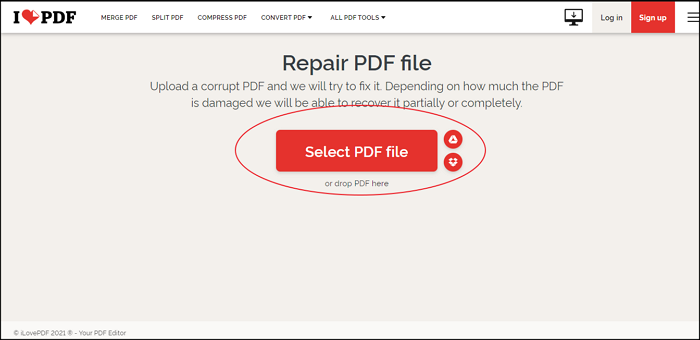
If Acrobat doesn’t cut it, head to a free online service like Smallpdf, ILovePDF, or PDF Repair Tool. Upload your file—they’ll attempt to reconstruct it on their servers. These tools are great for quick fixes and handle most common corruption. Just be cautious with sensitive documents: upload at your own risk. A decent online fix can get you back on track in minutes. For a comprehensive approach, our PDF document repair article covers more methods.
Step 4: Command-Line Repair with QPDF
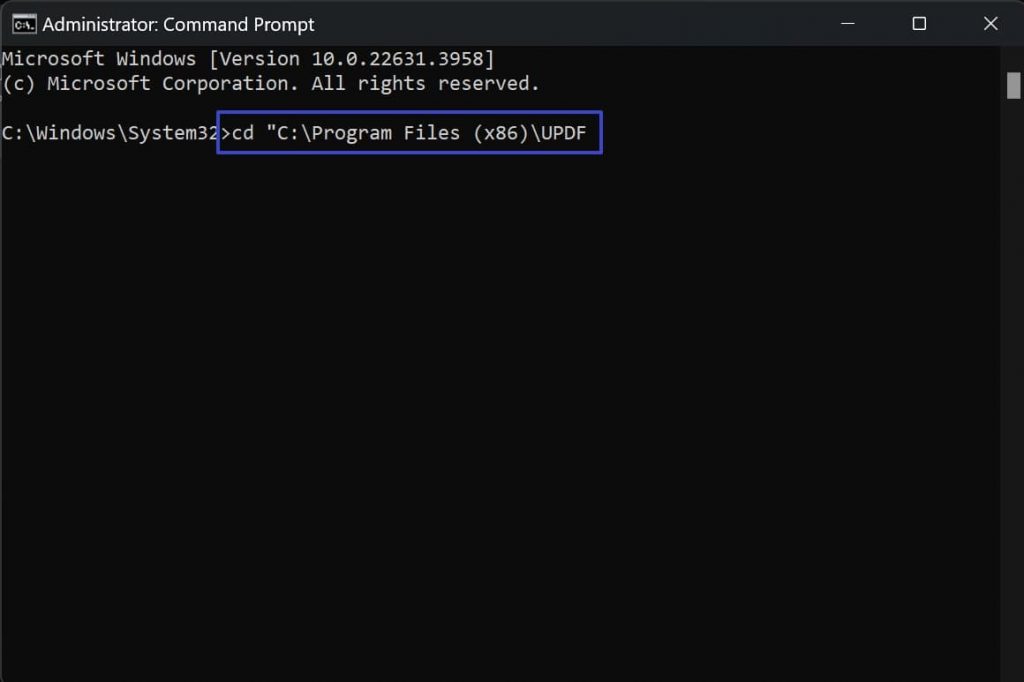
QPDF is a free, powerful command-line tool that can fix many structural issues. Install it from qpdf.sourceforge.io. Then open your terminal (Command Prompt on Windows) and run: qpdf –linearize input.pdf output.pdf. This re-linearizes the file, often fixing cross-reference corruption. For deeper repair, try: qpdf –replace-input –object-streams=preserve input.pdf. It’s fast and works silently. If your PDF has stream issues, our pdf stream repair guide has more details.
Step 5: Manual Hex Editing (for Header Fixes)
When the PDF header is missing or wrong, you can fix it with a hex editor. Open your PDF in a hex editor like HxD. The first line should be “%PDF-1.x” (e.g., %PDF-1.4). If it’s missing or garbled, type it in at the very start. Also check the last line—it should end with “%%EOF”. If not, add it. If you need a full walkthrough, check our guide on how to fix PDF header. After editing, save and test the file. This saved my bacon more than once.

Common Pitfalls
- Not keeping a backup: Always work on a copy. One wrong hex edit and the file is toast.
- Using online tools for sensitive PDFs: If it’s confidential, stick to offline methods like QPDF or Adobe.
- Ignoring the root cause: If the PDF keeps breaking, the issue might be hardware (bad USB) or software (flaky PDF creator). Check out how to restore damaged PDF or repair PDF after incomplete download for specific scenarios.
Where to Next
Now you’ve got a working PDF—or at least a few solid strategies. If this guide helped, you might also enjoy our step-by-step on PDF form repair or fixing a compressed PDF. Keep exploring the PDF Repair & Tools category for more fixes. Happy repairing!




