Got a corrupted PDF that won’t open? Don’t panic—and definitely don’t sign up for yet another service. This guide is for anyone who needs to repair a PDF file quickly using free online tools that require zero registration. By the end, you’ll have a working PDF downloaded to your computer without ever handing over your email.
We’ll walk through four simple steps: choosing a tool, uploading, repairing, and downloading. No complex software to install, no account to create. Just a browser and a few clicks.
What You’ll Need
- A corrupted PDF file (make sure it’s the original, not a renamed copy)
- A computer with an internet connection
- A modern web browser (Chrome, Firefox, Edge, etc.)
- Optional: a backup of the original file in case something goes wrong
Step 1: Find a Reliable Online PDF Repair Tool
Start by searching for ‘online PDF repair no signup’ or head straight to a trusted tool like PDF24 or Sejda. These services let you upload and repair PDFs without creating an account. Avoid tools that ask for your email before you even see the repair option. For more options, check out our guide on pdf repair online.
Step 2: Upload Your Corrupted PDF
Once you’re on the tool’s website, look for an ‘Upload’ button or drag-and-drop area. Select your corrupted PDF file from your computer. Make sure it’s the original file—renaming a .doc to .pdf won’t help. If you’re dealing with a specific error like a missing startxref, our article on fix startxref pdf error might come in handy later.
Step 3: Start the Repair Process
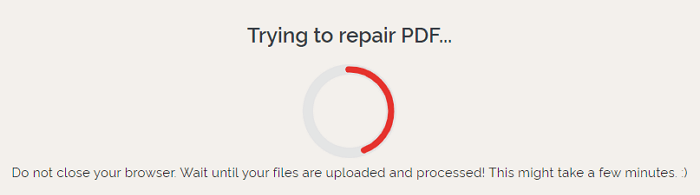
After the upload completes, click the ‘Repair’ or ‘Start’ button. The tool will analyze and attempt to fix the file. Most tools show a progress bar or spinner. This usually takes just a few seconds. If the tool fails, it might indicate the damage is severe. In that case, see our guide on not a pdf or corrupted pdf repair for further steps.
Step 4: Download the Repaired PDF
When the repair finishes, you’ll typically see a ‘Download’ button. Some tools also offer a preview so you can verify the content. Save the repaired file with a new name (e.g., ‘original_repaired.pdf’) and open it to confirm it works. If you encounter issues like missing fonts, check out our guide on restore pdf metadata or fix pdf eof marker as needed.
Common Pitfalls
- File too large: Many free online tools cap file sizes at 50–100 MB. If your PDF is bigger, try compressing it first or use a desktop tool.
- Internet interruption: A dropped connection can corrupt the upload. Use a wired connection or ensure strong Wi-Fi before starting.
- Hidden signup requirements: Some tools say ‘free’ but ask for an email after upload. Always read the page carefully. If in doubt, choose a tool that explicitly states ‘no signup’.
Where to Next
You’ve successfully repaired your PDF without signing up. If you frequently deal with PDF issues, check out our other guides: pdf repair online, fix startxref pdf error, not a pdf or corrupted pdf repair, restore pdf metadata, and fix pdf eof marker. Happy fixing!