
Ever opened a PDF that looked like a jumble of gibberish, or got an error that the file is corrupted? If the issue is with the PDF’s internal streams—content streams, object streams, or cross-reference streams—you’re in the right place. This guide is for anyone who’s comfortable with a hex editor and wants to fix the streams themselves, or for developers looking to automate the process. By the end, you’ll have a repaired PDF that opens correctly and shows all its content.
PDF streams are the building blocks that hold page content, fonts, images, and metadata. When they get corrupted—often from incomplete downloads, sync errors, or software bugs—the PDF becomes unreadable. Similar to repairing the PDF trailer, stream repair requires understanding the internal structure. But don’t worry: we’ll walk through it step by step.
What you’ll need
- A hex editor (HxD for Windows, 0xED for macOS, or 010 Editor)
- The corrupted PDF file (make a backup first!)
- A PDF specification reference (ISO 32000 or a summary online)
- Optional: a PDF repair library or tool for automation (see Step 3)
Step 1: Identify the broken stream
Open your corrupted PDF in the hex editor and look for stream markers. Most streams start with ‘stream’ and end with ‘endstream’. If a stream is missing its endstream marker or has garbled data between, that’s your culprit. Use a PDF parser (like qpdf or a simple script) to list the objects and see which ones have errors. Focus on content streams (type /Content) and object streams (type /ObjStm).

Step 2: Fix content streams
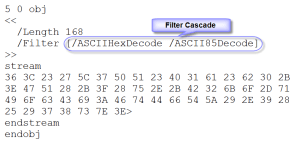
Content streams contain the page’s graphics and text. If one is truncated, locate the stream dictionary—it should have a /Length key specifying the byte count after ‘stream’. Count the actual bytes and update /Length if needed. Then ensure the stream ends with ‘endstream’. Sometimes you can copy a known-good content stream from another PDF, but that’s risky. A simpler fix: remove the corrupted stream if it’s not essential (the page may lose elements but become viewable).
Step 3: Repair object streams
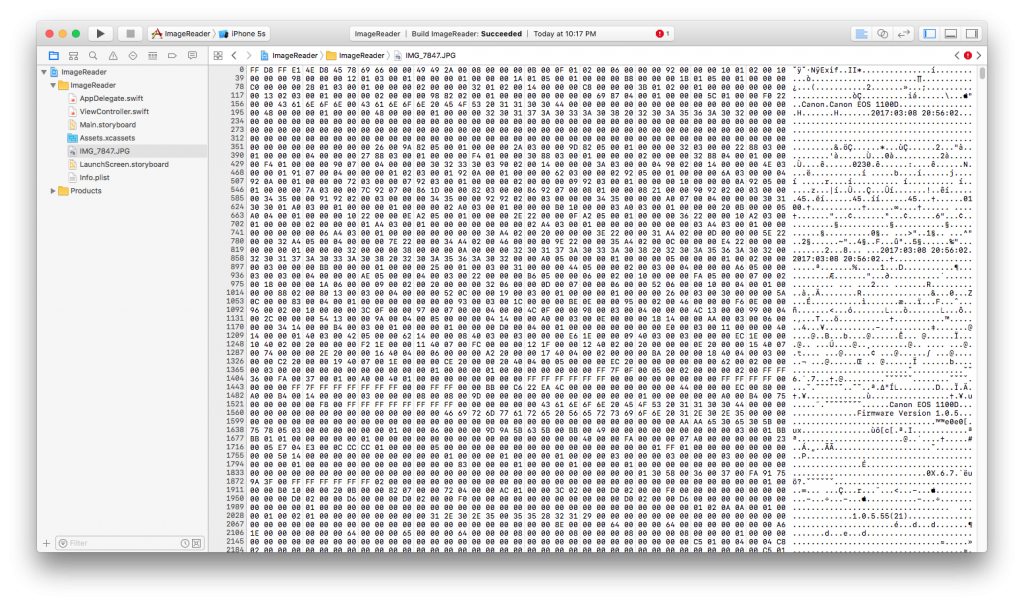
Object streams group multiple indirect objects. They start with ‘stream’ and contain compressed objects. Corruption here often means the offset for the first object is wrong. Manually, you can decode the stream (it may be compressed), find the correct offset, and update the stream dictionary. For larger PDFs, automated tools are better. If you’re coding a solution, a PDF repair library can automate object stream fixes. If you prefer scripting, PHP PDF repair is a good option—it can parse and reconstruct object streams programmatically.
Step 4: Fix cross-reference streams
Cross-reference streams (XRefStm) list the location of every indirect object. If this stream is corrupted, you’ll see ‘Cross-reference stream not found’ errors. To fix it, you can rebuild the cross-reference stream by scanning all objects in the file and creating new entries. This is tedious manually, but tools like qpdf’s –linearize can regenerate it. Another approach: convert the PDF to a non-stream XRef (type /XRef) and back. This step is closely related to repairing the PDF trailer—make sure the trailer dictionary points to the correct XRef.

Step 5: Validate the PDF
After repairs, reopen the PDF in a viewer. Check if all pages render and no errors appear. For a thorough check, use Adobe Acrobat’s Preflight or an online validator. You can also repair an unreadable PDF online to double-check that the file is fully functional. Many services offer quick validation for free.

Common pitfalls
- Forgetting to backup – always keep the original corrupted file, because every hex edit can make things worse.
- Changing stream length without updating the /Length dictionary – if you add or remove bytes, the /Length value must match exactly.
- Using wrong end-of-line markers – PDF expects CR+LF or LF only in streams; mixing them can cause parsing errors.
Where to next
You’ve just saved a PDF from the brink! If you want to deepen your skills, check out our guide on repairing the PDF trailer—it’s a sibling operation. For more automation options, explore our PDF repair library and PHP PDF repair articles. And if all else fails, many online tools can fix an unreadable PDF online—just be careful with sensitive documents. Happy repairing!




